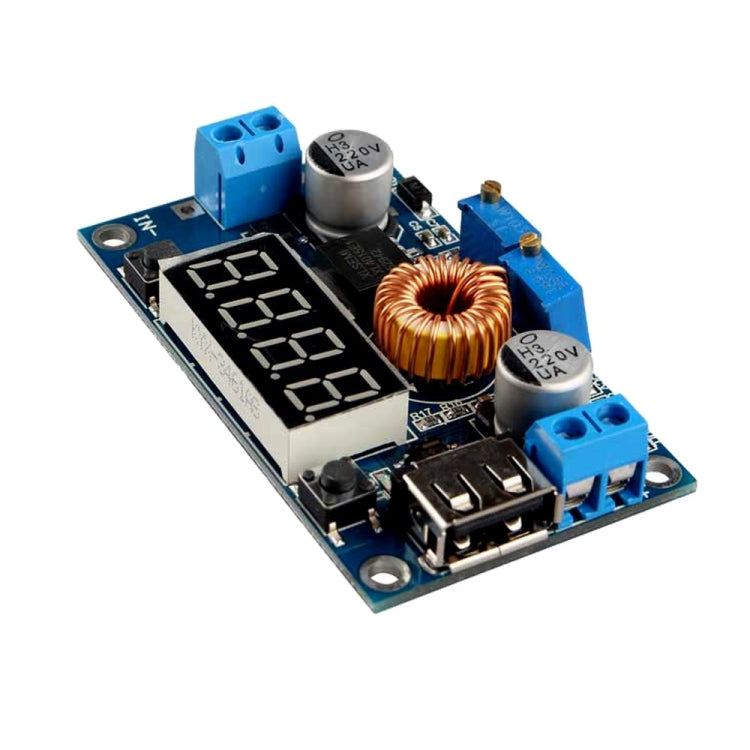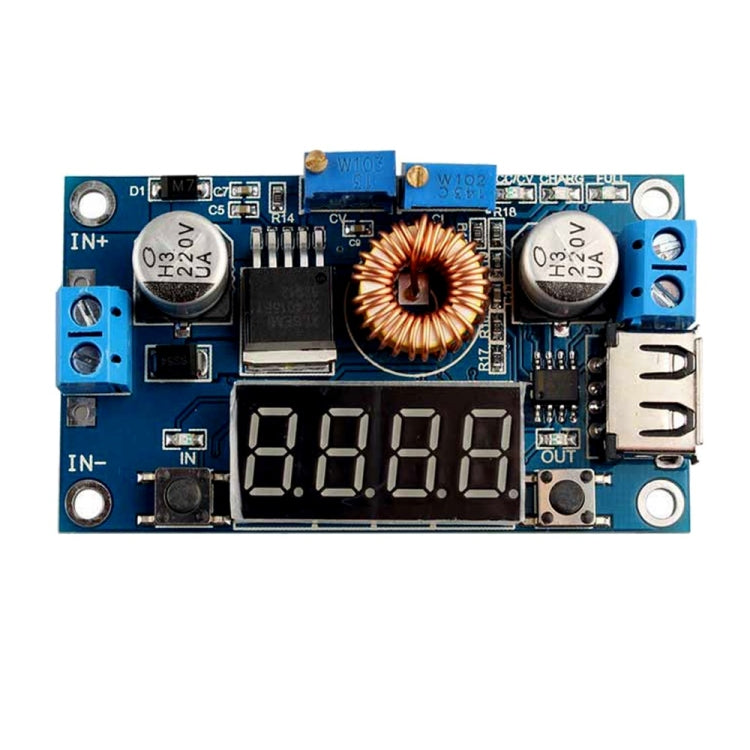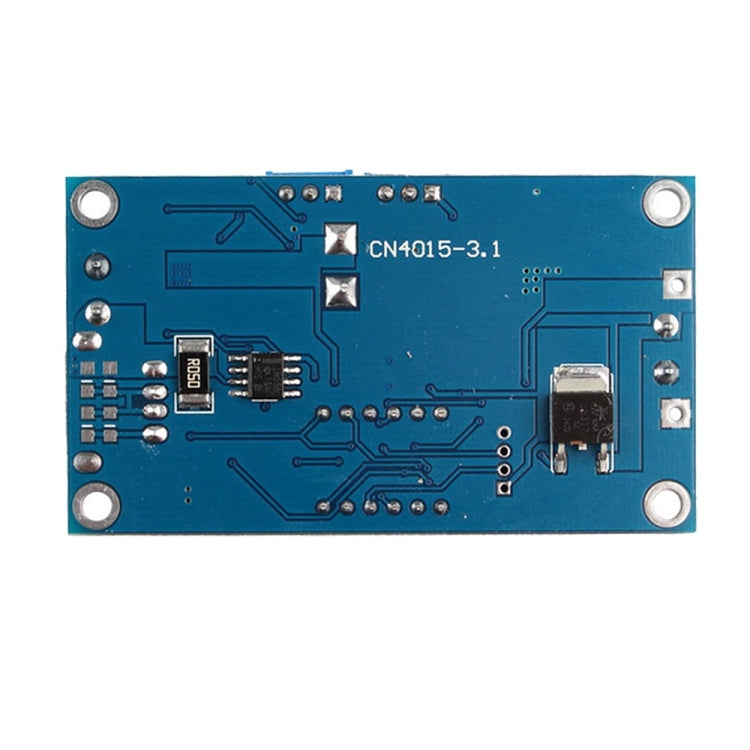
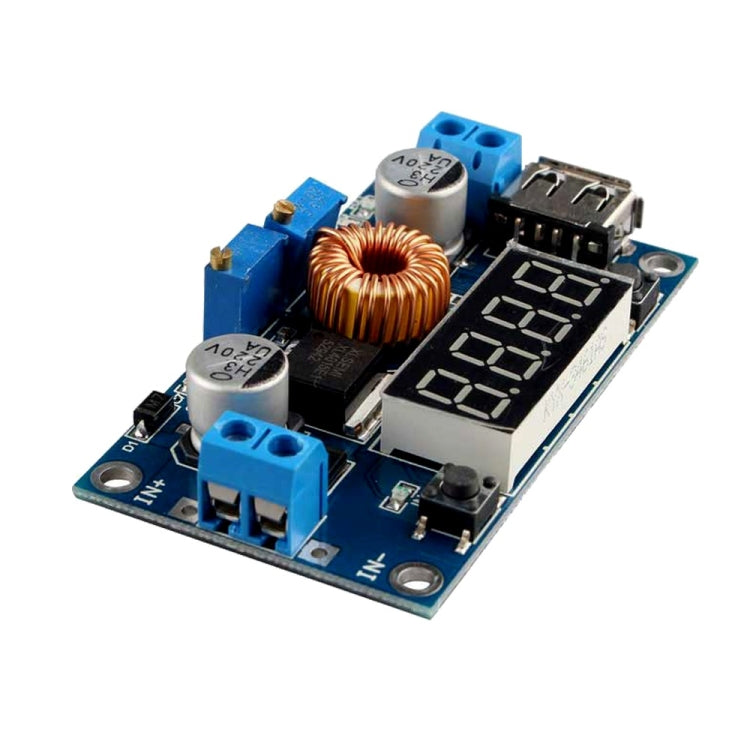
LDTR-WG0181 4-Digit 5A LED Drive Lithium Battery Charger with Voltmeter Ammeter DC to DC Module


Price:
Sale priceRs. 1,030.00

Description

Features
1. Input voltage range: 5-36V DC
2. Output voltage range: 1.25-32V DC adjustable
3. Output current: 0-5A
4. Output power: 75W
5. High efficiency up to 96%
6. Built in thermal shutdown function
7. Built in current limit function
8. Built in output short protection function
9. Input reverse polarity protection: None (if required, high current diode in series with the input).

Use as a step-down modules with overcurrent protection
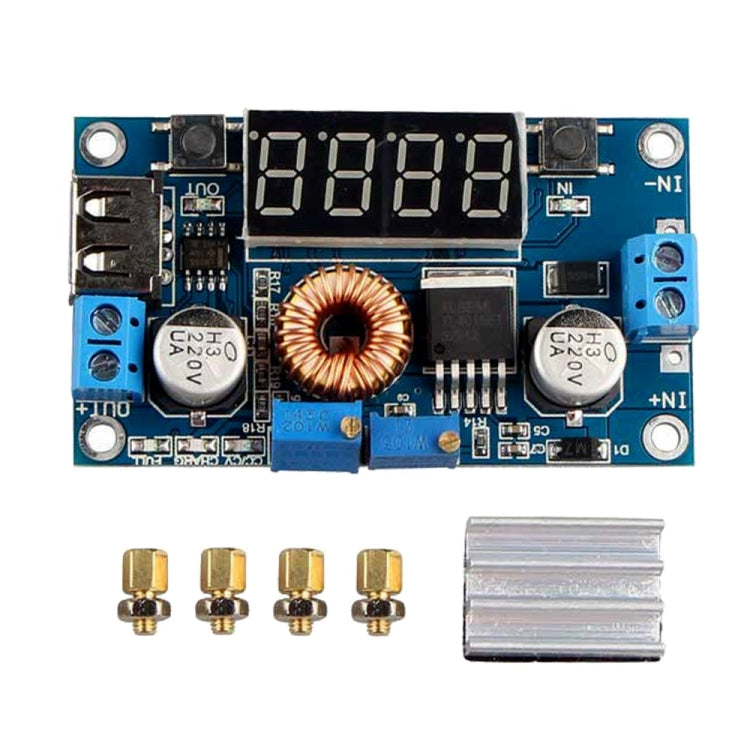
1. Adjust the right button so that “OUT” LED lighted, Digital meter shows the value of output voltage ,adjust the “voltage potentiometer” so that the output voltage reaches the value you want.
2. Adjust the right button so that Digital meter shows the value of output current;Wire shorted output terminal, then adjust the “current potentiometer” so that the output current reaches a predetermined overcurrent protection value. (For example, the Digital meter displays the current value of 4A, then you can use the module to a maximum current of 4A)
3. Connected to the load.

Use as a battery charger
1. Make sure you need to charge the battery float voltage and charging current; (if lithium parameters 3.7V/2200mAh, then the float voltage is 4.2V, the maximum charging current 1C, ie 2200mA)
2. Under no-load conditions, adjust the "Voltage potentiometer" so that the output voltage reaches the float voltage; (if to 3.7V rechargeable lithium battery, the output voltage can be adjusted to 4.2V)
3. Adjust the right button so that Digital meter shows the value of output current;Wire shorted output terminal, then adjust the "current potentiometer" so that the output current reaches a predetermined Charging current value.
4. Charge turn lamp current factory default is 0.1 times the charging current; (Battery during charging current is gradually reduced, if the charge current setting is 1A, then when the charge current is less than 0.1A, blue lights turned off, the green light is on, which means that the battery is fully charged)
5. Connected to the battery charge.
(1,2,3,4 steps as: Output is unloaded, do not connect the battery)

Used as LED constant current drive module
1. Adjust the “voltage potentiometer” so that the output voltage reaches the value you want.
2. Adjust the right button so that Digital meter shows the value of output current;Wire shorted output terminal, then adjust the “current potentiometer” so that the output current reaches a predetermined LED operating current.
3. Connect LED, work. (1,2 steps as: Output is unloaded, do not connect LED)

Voltmeter and ammeter calibration method
1. Module with manual calibration function can correct display precision voltage and current, if you think the current voltage and current accuracy to meet the requirements, do not perform the following operations.
2. Output voltage calibration steps
- Step 1, adjust the right button so that “OUT” LED lighted, Digital meter shows the value of output voltage; Press the right button for more than 2 seconds, release, Digital meter and "OUT" LED flashes in synchronization so that you enter the output voltage calibration mode.
- Step 2, press the right button (normal speed), the voltage value is adding up a unit; Press the left button, minus a unit; Due to a unit is less than 0.1V, the minimum voltage display to 0.1V, so you need to continuously press 1-5 times to see the voltmeter change 0.1V, how many times voltmeter change 0.1V by pressing the key, depending on the current display voltage, the higher the voltage, the fewer the number of press.
- Step 3, press the right button for more than 2 seconds, release, to exit the output voltage calibration mode. All parameters set to automatically power down to save.
3. Input voltage calibration steps
- Step 1, adjust the right button so that "IN" LED lighted, Digital meter shows the value of input voltage; press the right button for more than 2 seconds, release, Digital meter and "IN" LED flashes in synchronization so that you enter the input voltage calibration mode.
- Steps 2 and 3, consistent with the output voltage calibration method.
4. Output current calibration steps
- Step 1, adjust the right button so that Digital meter shows the value of output Current. Press the right button for more than 2 seconds, release, Digital meter flashes in synchronization so that you enter the output current calibration mode.
- Step 2, connected to the load, ammeter in series, adjust the right and left button to change the display of digital meter, so that is consistent with the ammeter display .

Specification
1. Model LDTR-WG0181
2. Quantity: 1 piece
3. Material: PCB
4. Input Voltage: 5~36V
5. Output Voltage: 1.25~32V
6. Max. Output Current: 5A
7. Max. Output Power: 75W
8. Working Temperature: -40~+85℃
9. Conversion Efficiency: 96%
10. Dimensions: 2.76 in x 1.57 in x 0.59 in (7 cm x 4 cm x 1.5 cm)
11. Weight: 1.2 oz (34 g)
1. Packing List:
- 1 x Module
- 1 x Heatsink
- 4 x Pillars

Enjoy FREE SHIPPING on every order, fully insured for your peace of mind.
Cancellation Policy:

We at Order2india strive to provide you with the best possible experience while you shop with us online. Since our orders are shipped from overseas , we try to reduce the handling time as much as possible by quickly processing the orders , Hence any cancellation request , has to be placed within 24 hours of placing the order. The refund amount will be credited back on your original mode of Payment. . 

Warranty:

All our products comes with a default 90 days seller replacement warranty against manufacturer defect as a service and reassurance to our customers. Order2india will take care of all logistics to and from the manufacturer/supplier  for replacement . If within 90 days of delivery ,any problem is found with our product , please contact our customer support and we would replace it for you absolutely free.

Return Policy

Our return policy is outlined below. The policy reflects the reality that our products are sourced from suppliers located outside India and is formulated keeping in mind the costs and time involved in the logistics, both in the forward direction (i.e. shipping products to India from the suppliers) and reverse direction (i.e. shipping returned products back to the suppliers).Certain products are not eligible for return or refund as below

Return Process & Timeline


For eligible products, the policy is summarized below. Please note that Returns that do not meet the Return Process and Timeline below will not be eligible for a refund.


Reason

Allowed Time Line

Return Process

Due to Damage in transit

Within 24 hours  of  Delivery

Inspect package before taking Delivery and if damaged REJECT package and DO NOT take delivery from the courier and Send email to support@order2india.com within 24 hours of rejecting the delivery so we can process your refund.

Dead on Arrival or mal-functioning product

Within 15 days  of Delivery

Contact us or email us at support@order2india.com within 15 days of delivery with details of the problem. 
Product(s) must be re-packed in original packing along with all the material, manual that came alone with the order).

Incorrect Order (e.g. model, brand, color or size different from what was ordered)

Within 15 days  of Delivery

Contact us or email us at support@order2india.com within 7 days of delivery with details of the problem.
Product(s) must be re-packed in original packing along with all the material, manual that came alone with the order).

We process your payment information securely. We do not store credit card details nor do we have access to your credit card information.

If you receive a parcel with missing, incorrect, or secondary packing items, please contact us within 7 days of delivery with relevant proof. Order2india will assess the situation and provide resolution based on the extent of the damage.

You may also like

Recently viewed

Free delivery

Providing Free Delivery Across India

Top-notch support

Any Queries, Contact us Anytime at Support@order2india.com